
CMMS software for multi-site maintenance teams
SiteWise is CMMS software (a computerized maintenance management system): it holds your assets, schedules the PMs, issues the work orders and keeps the history, for every site, in one app your technicians carry. The free plan has posted limits. Premium is $15 per user per month, billed annually, with no limits.


Free on iPhone and Android.

Every site, asset and work order in one place

Every site on one screen
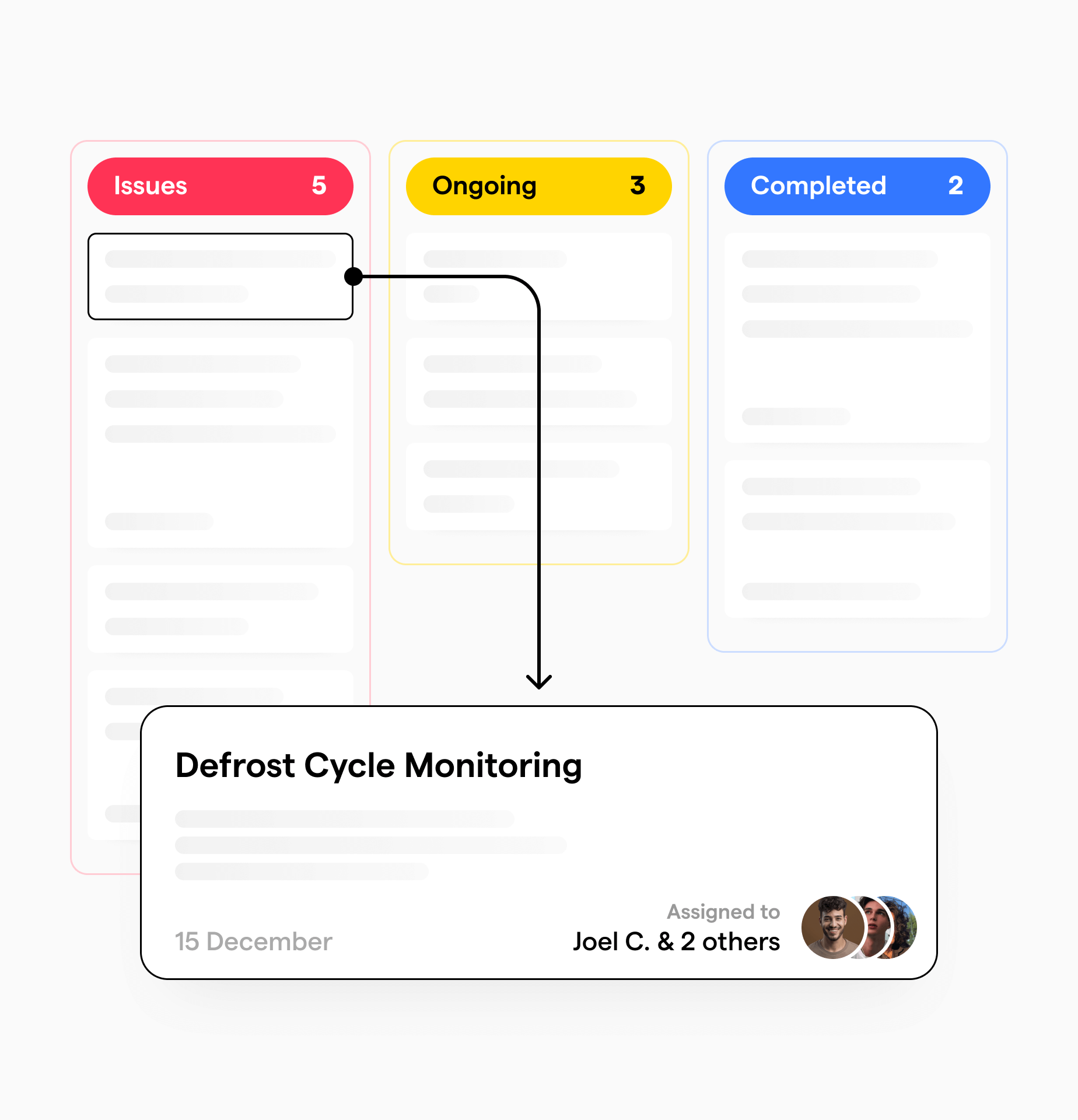
Add your locations with photos, then their assets and sub-assets. Assign work orders to a person or a team, and see what is due today, what is critical and what is done.

Parts and tools, counted
Storerooms with a minimum and maximum per part, receiving, purchase orders, cycle counts and a consumption ledger that projects what your planned PMs will use. Tools are booked, issued to a work order and checked back in.

We import your data, free
Send us your spreadsheet or export; we import it for you, free, usually in 2 to 4 business days. You start with your assets and locations in place, not a blank system.
From a fault to a closed work order
Preventive maintenance that schedules itself, sensor alerts that open their own work orders, and an app your technicians use in front of the equipment.
PMs that schedule themselves
Set a PM every N days, weeks or months, with start and end dates. SiteWise creates the work order a set number of days before it is due, or on the weekday you choose, or schedules the next one from when the last was done. Parts for planned PMs are reserved 30 days ahead, so they are on the shelf when the job comes up.

When a sensor finds a fault, the work order opens itself
Run TemperatureWise or EcoWise and an alert opens a work order request for approval, or a work order straight away, depending on the approval set-up you choose. Nobody has to see the alert, understand it and remember to write it up.

Work orders your technicians close in front of the equipment
Create, update and close work orders and PMs offline, on every plan, so the basement and the walk-in are not dead zones. Add photos and videos up to 30 seconds, follow a linked procedure step by step, scan an asset's QR code to open it, and chat with the team on the work order. AI-powered work order prioritization shows the team what to do first.
SiteWise pricing: Free, Premium and Enterprise
Prices are posted, not quoted. Start on the free plan, with its limits written down below, and move to Premium when you need more. Every plan includes offline work orders and the free data import. No sales calls unless you ask for one.
Free
For one site, or a small team moving its maintenance off a spreadsheet.
- Unlimited work orders, 100 open at a time
- 20 locations
- 250 assets and sub-assets, combined
- 250 parts and 100 tools
- 25 vendors
- Work orders and PMs offline
- Free data import
Premium
For teams that have outgrown the free plan's limits, at one site or many.
- Everything in Free
- No limit on open work orders
- No limit on locations, assets and sub-assets
- No limit on parts, tools and vendors
- Free data import
Questions about Premium? Talk with us
Enterprise
For organizations that need SiteWise connected to the systems they already run.
- Everything in Premium
- Custom integrations with your other systems, such as an ERP or PLCs
- A price quoted for your team and sites
- Free data import
Prices in US dollars. Premium is $15 per user per month, billed annually: $180 per user per year.
Compare the plans line by line
Every feature is on every plan. What changes is the limits, and on Enterprise, integrations built for the systems you run.
| Feature | Free$0 | Premium$15 per user per month | EnterpriseCustom |
|---|---|---|---|
| Plan limits | |||
| Work orders | Unlimited | Unlimited | Unlimited |
| Open work orders at a time | 100 | No limit | No limit |
| Locations | 20 | No limit | No limit |
| Assets and sub-assetsCounted together | 250 | No limit | No limit |
| Parts | 250 | No limit | No limit |
| Tools | 100 | No limit | No limit |
| Vendors | 25 | No limit | No limit |
| Work orders | |||
| Photos and videos on a work orderVideos up to 30 seconds and 50 MB | Included | Included | Included |
| Priorities, statuses and due datesOpen, in progress, on hold, complete | Included | Included | Included |
| Assign to a person or a team | Included | Included | Included |
| AI-powered work order prioritization | Included | Included | Included |
| Linked procedures, step by step, with photos and video | Included | Included | Included |
| Search, sort and filterBy assignee, location, asset, due date, priority and status | Included | Included | Included |
| Preventive maintenance | |||
| PMs every N days, weeks or months | Included | Included | Included |
| Work order created ahead of the due date, or on a chosen weekday | Included | Included | Included |
| Next PM scheduled from the last completion | Included | Included | Included |
| Parts reserved 30 days ahead of a planned PM | Included | Included | Included |
| Assets and locations | |||
| Locations with photos, assets with sub-assets | Included | Included | Included |
| QR codesScan, generate, print, or use pre-made labels | Included | Included | Included |
| Equipment categories and subtypes | Included | Included | Included |
| Parts, inventory and tools | |||
| Storerooms with a minimum and maximum per part | Included | Included | Included |
| Receiving, adjustments with a reason, and purchase orders | Included | Included | Included |
| Consumption ledger with future PM projections | Included | Included | Included |
| ABC cycle counts | Included | Included | Included |
| Tool bookings, check-out to a work order and custody history | Included | Included | Included |
| Technician pick-up tickets and the crib-attendant counter | Included | Included | Included |
| Mobile, offline and team | |||
| App for iPhone and Android | Included | Included | Included |
| Create, update and close work orders and PMs offline | Included | Included | Included |
| Team chat with photos and video, linked to assets and work orders | Included | Included | Included |
| Roles for management, crib attendants and technicians | Included | Included | Included |
| Dashboard: due today, critical, completed and my work | Included | Included | Included |
| Setup and integrations | |||
| Data import done for youUsually 2 to 4 business days | Free | Free | Free |
| TemperatureWise and EcoWise alerts open work ordersWith TemperatureWise or EcoWise sensors | Included | Included | Included |
| Custom integrations with your other systems | Not included | Not included | Included |
FAQs
A computerized maintenance management system: software that holds your assets, schedules preventive maintenance against them, issues and tracks work orders, and keeps the history of what was done to what.
In practice it is the difference between maintenance living in someone's head plus a shared spreadsheet, and maintenance living in a system that tells you what is due and proves what was completed.
SAP is an ERP with a maintenance module inside it, so it can do CMMS work, but it is not a CMMS.
The practical difference is scope and audience. An ERP runs finance, procurement and HR, and treats maintenance as one department among many. A CMMS does maintenance only, and is built for the technician holding a phone in front of a broken compressor.
Plenty of organizations run both, with the CMMS handling day-to-day work orders and pushing costs back into the ERP. That is usually the right answer when the ERP is already in place and the maintenance team will not use it.
They overlap, with EAM being the wider circle. A CMMS manages maintenance work: orders, schedules, technicians and parts. An EAM manages the whole asset lifecycle, from purchase through depreciation and disposal, usually across multiple sites.
If your question is what needs fixing and did we fix it, you want a CMMS. An EAM generally costs considerably more and takes considerably longer to put in, and most teams who buy one end up using the maintenance quarter of it.
We publish it, which most of this category does not. SiteWise has a free plan with posted limits; Premium is $15 per user per month, billed annually, with no limits; and Enterprise adds custom integrations, priced for your team. The plans are compared line by line on this page.
For comparison, the category norm is per user per month tiered by feature set, with the number available only after a sales call. If you are shopping around, the vendors whose pricing you have to search for by name are searched for precisely because it is not on their page.
There are free tiers, and there is the free spreadsheet. For a single site with a handful of assets, a spreadsheet genuinely works, and we would rather say so than pretend otherwise.
It stops working at a predictable point: when more than one person needs to update it, when you need to prove to someone outside the business that a task was done, or when preventive maintenance starts getting skipped because nothing is chasing it. The real cost of the free option is the maintenance that quietly does not happen.
SiteWise's free plan is built for exactly that point: unlimited work orders (100 open at a time), 20 locations, 250 assets, 250 parts, 100 tools and 25 vendors, and we import your data free. You should be able to outgrow a spreadsheet without needing a purchase order first.
Three to five business days for a smaller rollout, and within fifteen business days for a larger one. Including training, one month is the outside case.
The honest general answer is that the software is fast and the asset register is slow. Implementations stall on getting equipment lists, locations and maintenance schedules in, not on configuration, which is the part Renergy does for you rather than handing over a blank system and a spreadsheet template.
If you have had a CMMS implementation fail before, tell us. We will take on the rescue.
Yes, free, on every plan. Send us your spreadsheet or an export from your current system, such as MaintainX or UpKeep, and we import it for you, usually in 2 to 4 business days.
It is not a self-serve import button: our team does it, so your assets, locations and schedules arrive set up rather than as a file you have to clean.
Yes. SiteWise is a native mobile app on Android and iOS, so work orders are opened, updated and closed in front of the equipment rather than back at a desk.
Technicians can create, update and close work orders and PMs offline, on every plan. That matters more than it sounds: the mechanical room, the basement and the walk-in are exactly the places with no signal, and exactly the places the technician is standing.
Download it free from the App Store for iPhone or Google Play for Android. Our download page opens the right store on your phone; on a computer it shows both stores and a QR code to scan.
Yes. Multi-site is the point where spreadsheets and free tiers reliably break, because as soon as two locations need to see each other's work you need a system rather than a file.
Reporting rolls up across every site into one aggregated view, so a regional manager sees all locations at once and can compare them against each other.
Yes, and this is the part a standalone CMMS structurally cannot do. TemperatureWise (temperature) and EcoWise (machinery) alerts feed SiteWise directly: an alert opens a work order request for approval, or a work order straight away, depending on the approval set-up you choose. Custom integrations, such as a PLC, come with the Enterprise plan.
In practice that means a failing motor raises its own ticket, assigned to the right person, before anyone has noticed the equipment is struggling. You are not relying on someone seeing an alert, understanding it, and remembering to write it up.
Put SiteWise on your team's phones, free
Download the app, add your first site and open a work order in front of the equipment. Send us your spreadsheet and we import it for you, free.
Free on iPhone and Android.
Explore More Products
Explore our range of products, each designed to offer specific solutions, from monitoring to maintenance, ensuring energy efficiency and operational excellence.

Walk-In Cooler & Freezer Monitoring
TemperatureWise is proactive AI for walk-in coolers, freezers and cold storage. It catches refrigeration faults at least 4-5 days before failure, names the root cause, and alerts you before you lose inventory.
AI Equipment Intelligence
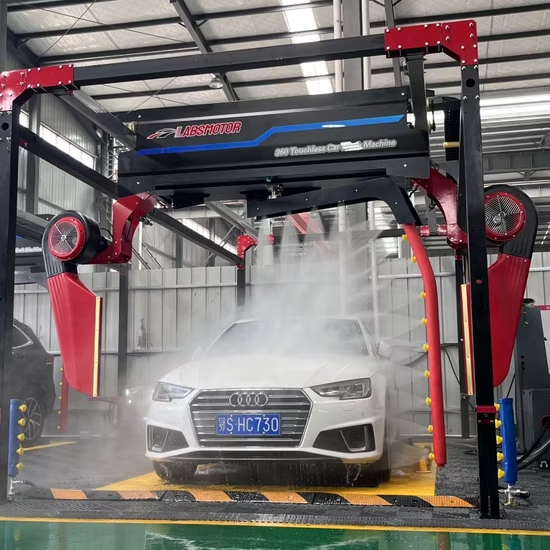
EcoWise uses advanced IoT sensors to monitor vibration, motor health, and fluid levels in your heaviest equipment. From car wash water pumps to industrial cooling towers, catch mechanical failures before they stop your operations.